Is Party Animals Crossplay Compatible for Everyone?
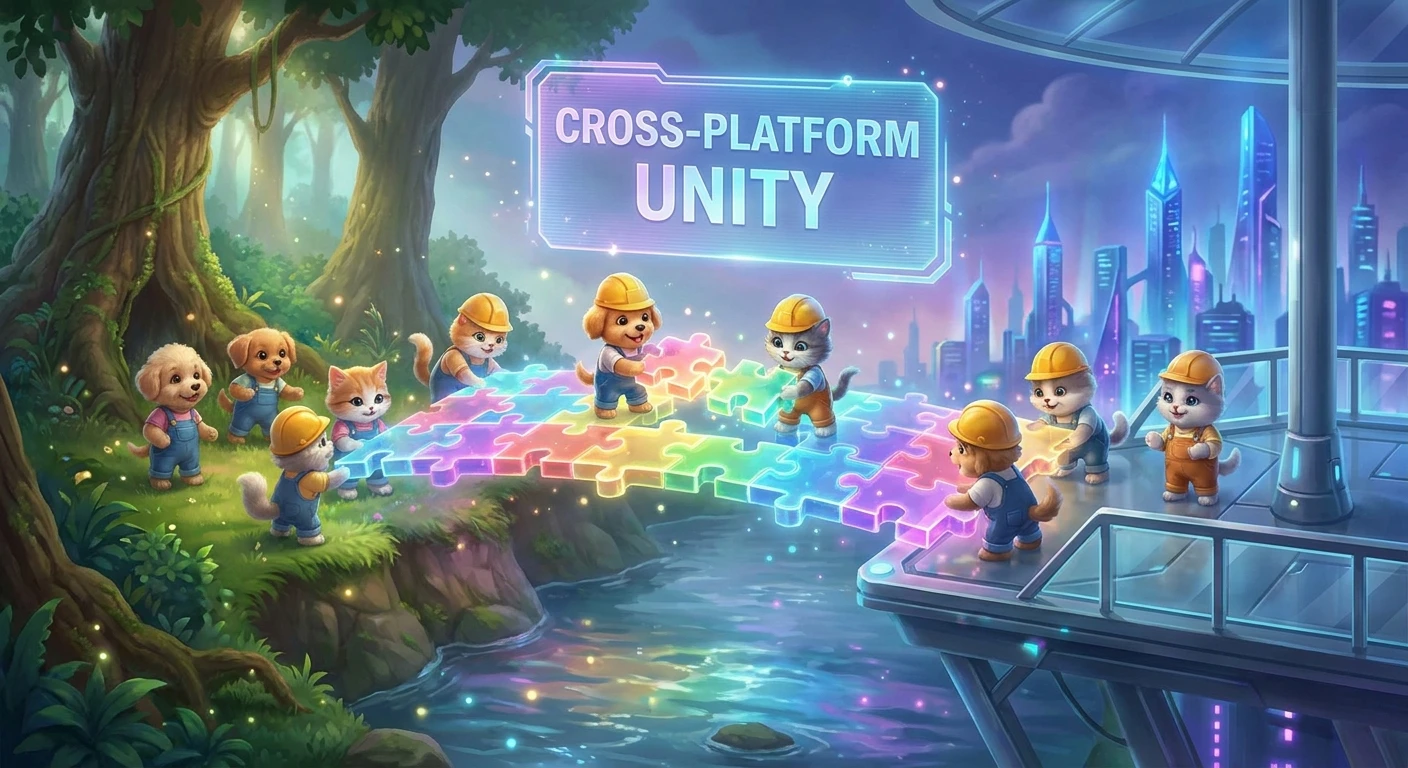
If you are gathering your friends for a chaotic gaming night, you are probably asking: is Party Animals crossplay compatible across different hardware? Listen, getting everyone on the same page is hard enough without worrying about platform restrictions. You finally find a time when everyone is free, you pick a game, and then suddenly half the group cannot join because they are on a different console. Luckily, Recreate Games anticipated this exact headache. Yes, the game fully supports cross-platform functionality between PC and Xbox platforms. Whether your friends are sitting at a high-end desktop gaming rig playing via Steam, using a budget laptop with the Windows Store version, or relaxing on the couch with an Xbox Series X, everyone can jump into the exact same lobby. This seamless integration means nobody gets left behind when you want to throw your friends off a speeding train or dropkick a giant fluffy dinosaur off a submarine. We all know the absolute joy of a functioning multiplayer session where the technology just works, getting out of the way so you can focus entirely on the chaotic fun. Cross-platform integration has become the gold standard for party games, and this title embraces that standard fully. You boot up the game, send a quick invite, and within seconds you are trading blows with your best friends regardless of the plastic box sitting under their television. It is the ultimate equalizer for friend groups spread across different ecosystems.
Connecting Across Hardware: The Benefits and How-Tos
Connecting across hardware ecosystems brings massive advantages to your game nights. Let us talk about how this actually functions and why unified lobbies are the best thing to happen to the party genre. When you rely on a single platform, your player base is immediately fractured. By utilizing unified backend architecture, matchmaking times drop drastically. You spend less time staring at a loading screen and more time swinging nunchucks at a golden retriever. The value proposition here is undeniable. Imagine you have a friend who strictly plays on a budget PC, relying on a keyboard and mouse, while your other friend refuses to play anything unless it is on their massive television via an Xbox Series S. Without cross-platform support, that friend group simply cannot play together. With it, those barriers vanish entirely. Let us look at how the different platforms interact.
Read also: Who is danica mason? Her Incredible Digital Wellness Rise; How to Build a black and gold brand; Mastering the royel maddell Protocol.
| Platform | Crossplay Status | Input Method |
|---|---|---|
| PC (Steam) | Fully Supported | Keyboard/Mouse or Controller |
| PC (Windows Store) | Fully Supported | Keyboard/Mouse or Controller |
| Xbox Series X|S / Xbox One | Fully Supported | Controller Only |
Setting up your unified lobby is practically foolproof. If you want to invite friends across the aisle, just follow these simple steps.
- Open the main menu and navigate to your friends list located in the bottom right corner of the screen.
- Search for your friend using their unique in-game ID, which acts independently from their Xbox Gamertag or Steam username.
- Send an invitation directly to your custom lobby, or join theirs via the quick-join social menu.
This streamlined process completely bypasses the clunky console-specific overlay menus that used to plague cross-platform attempts. You are not forced to link third-party accounts through complicated web browsers or deal with proprietary friend systems that refuse to sync. The game handles all the heavy lifting natively. This means you get straight to the chaotic physics-based action. The beauty of this system is that it genuinely does not matter what hardware you own; the experience remains universally hilarious and accessible.
Origins of the Cross-Platform Demand
The conversation around unifying the player base did not happen overnight. If we look back at the original Steam demo from late 2020, the game experienced a massive viral explosion. Millions of players downloaded the demo, flooding the servers to experience the floppy, physics-based brawling. However, that initial surge was limited entirely to PC users. Console players watched endless clips of the hilarious gameplay on social media, sparking an immediate and vocal demand for a console port. The community made it incredibly clear: they needed this game on Xbox, and they needed to be able to play with their PC friends. Recreate Games listened closely to this feedback, realizing that a party game isolated to a single ecosystem would miss out on its true potential.
Evolution During the Beta Phases
During the subsequent years of development, the studio faced the monumental task of building a network infrastructure capable of handling diverse hardware. The beta phases were crucial testing grounds. Developers had to ensure that an Xbox One from 2013 could communicate flawlessly with a top-tier gaming PC. Early tests occasionally showed the growing pains of this ambition, with minor desync issues where a punch might register differently depending on the hardware. However, the development team meticulously refined their netcode. They delayed the game multiple times, much to the frustration of eager fans, but these delays were necessary. They utilized that extra time to polish the backend, ensuring that when the game finally launched, the cross-platform functionality would not be a mere gimmick, but a rock-solid foundation.
Modern State of Party Animals Multiplayer
Fast forward to the official launch in September 2023, and the landscape completely shifted. The game launched day one on Xbox Game Pass, simultaneously dropping on PC via Steam and the Windows Store. This strategy guaranteed a massive, unified player base from the very first minute. Today, the modern state of the multiplayer environment is thriving because of this unified approach. You rarely encounter an empty lobby, and the community is tightly knit despite the hardware divides. The developers achieved exactly what they set out to do, creating an environment where the hardware is entirely secondary to the experience of the game itself.
The Technical Magic Behind the Brawls
The Architecture of Unified Matchmaking
Have you ever wondered how the game actually manages to sync up a chaotic brawl between completely different gaming machines? The architecture behind unified matchmaking relies on a robust backend infrastructure that treats every player as a universal client, regardless of their hardware. Instead of relying on peer-to-peer connections, where one player hosts the game and dictates the connection quality, Recreate Games utilizes dedicated server clusters distributed globally. When an Xbox player and a PC player join the same lobby, they are both connecting to a neutral, centralized server node. This central node acts as the absolute authority on what happens in the game. It receives input data from everyone, processes the physics calculations, and broadcasts the results back to every screen simultaneously. This eliminates the massive host advantage that used to ruin older multiplayer games and ensures a fair playing field across all devices.
Synchronizing Physics Across Hardware
The most difficult aspect of connecting different consoles is handling the highly complex physics engine. Because every character is a floppy, physics-driven ragdoll, the game cannot rely on simple hitboxes and pre-baked animations.
- Server authoritative physics models ensure that every single collision, grab, and throw is calculated centrally, preventing local hardware from cheating the system.
- Input latency equalization techniques are deployed so that the slight processing delay on an older console does not put that player at a severe disadvantage against a PC running at high frame rates.
- Client-side prediction algorithms allow your local machine to guess the immediate results of your actions, masking the split-second travel time of data across the internet.
- Cross-network identity management seamlessly translates an Xbox Gamertag and a Steam profile into a unified backend identifier.
This technical cocktail is what allows the game to feel incredibly responsive. When you successfully land a dropkick, you know the underlying technology worked perfectly to sync that impact across multiple platforms instantly.
Your 7-Step Guide to the Ultimate Crossplay Game Night
Step 1: Verify Your Network Connection
Before you even launch the game, make sure your connection is stable. Because physics-based games rely heavily on constant server communication, a wired ethernet connection is highly recommended over Wi-Fi. A stable connection ensures your adorable corgi does not teleport off the edge of the map.
Step 2: Locate Your In-Game ID
Your hardware-specific username is not what you need here. Navigate to the main menu and look at your profile section. You will see a unique string of characters assigned specifically to you by the game servers. This is your universal passport for connecting with friends on other platforms.
Step 3: Add Friends Across Platforms
Open the social tab and select the option to add a friend. Enter the unique ID you grabbed in the previous step. Once you send the request, your friend will receive an in-game notification instantly, regardless of whether they are holding a controller or a mouse.
Step 4: Configure the Custom Lobby Settings
Now that everyone is in the party, create a custom lobby. You have complete control over the parameters. Set a password if you want to keep random players out, adjust the stamina drain rates, or tweak the item spawn frequencies. Customizing the rules ensures your friend group has the exact type of chaotic experience they want.
Step 5: Select the Best Maps for Mixed Inputs
Some maps require precise platforming, while others are purely about brawling. When mixing keyboard players with controller players, stick to balanced maps like the submarine level or the wind tunnel. These maps rely more on situational awareness and hilarious mistakes rather than pinpoint mechanical accuracy, leveling the playing field perfectly.
Step 6: Balance the Teams
If you are playing team-based modes like Beast Football or the candy transport mode, try to mix the platforms evenly across both sides. Do not put all the PC players on one team and the Xbox players on another. Mixing them up fosters better communication and prevents any complaints about perceived hardware advantages.
Step 7: Manage Voice Chat and Communication
Cross-platform voice chat can sometimes be tricky due to console privacy settings. If the in-game voice chat is giving you trouble, simply use a third-party application like Discord. Xbox consoles now feature native Discord integration, allowing console players to join the exact same voice channels as their PC friends without any messy audio workarounds.
Myths vs. Reality: Clearing Up Platform Confusion
There is a lot of misinformation out there regarding how different systems interact. Let us clear the air.
Myth: PC players have a massive, unfair advantage over console players because of keyboard and mouse precision.
Reality: The intentionally clumsy, physics-based controls make the game perfectly suited for standard controllers. In fact, many high-level PC players actively choose to plug in a gamepad because the analog sticks offer better movement control for this specific title.
Myth: Mixing hardware types causes severe server lag and desync issues for everyone in the lobby.
Reality: Recreate Games uses dedicated server clusters that process all physics calculations neutrally. Your connection quality depends on your own internet speed and proximity to the server, not on the plastic box your opponent is using.
Myth: You are permanently forced into mixed lobbies and cannot disable the feature.
Reality: If you absolutely prefer to keep your matchmaking limited, Xbox users can utilize system-level privacy settings to restrict online interactions strictly to other console players, giving you complete control over your multiplayer experience.
Frequently Asked Questions
Is Party Animals on PlayStation?
Currently, the title is entirely exclusive to the Microsoft ecosystem, meaning it is only available on Xbox consoles and PC. There has been no official announcement regarding a PlayStation port at this time.
Can Steam players play with Xbox Game Pass players?
Absolutely. The matchmaking pool is completely unified, meaning users on Steam, the Windows Store, and console Game Pass all share the exact same multiplayer environment.
Is local split-screen supported in crossplay lobbies?
Yes! You can have multiple friends playing via local split-screen on a single console or PC, and then take that group online to face off against players on entirely different platforms.
Do I need an Xbox subscription to play online?
Yes, if you are playing on a console, you will need an active Game Pass Core or Game Pass Ultimate subscription to access online multiplayer features. PC players do not require a paid subscription to play online.
How many players can join a crossplay lobby?
Custom lobbies can support up to 8 players simultaneously, allowing for large, chaotic brawls with a mix of different hardware.
Is there cross-progression between PC and Xbox?
Your progress and unlocked cosmetics are tied to the specific platform ecosystem where you purchased the game, so items do not automatically transfer between Steam and Xbox.
Will there be mobile crossplay in the future?
While a mobile version has been discussed in early development updates, there is no confirmed release date or verification that it will share servers with the PC and console versions.
The era of fragmented friend groups is over. Understanding how unified lobbies work guarantees you will never have to leave a friend behind on game night. Grab your controllers, boot up your PCs, invite your entire crew, and start brawling today!